


News & Exhibitions
Latest Factory Updates, Industry Trends & Global Exhibition Information
Automated Woodworking Equipment: Which Tasks Still Need an Operator?
Automated woodworking equipment can cut, drill, edge band, and transfer parts with limited intervention during a production cycle. Operators still prepare the job, confirm the setup, check material suitability, inspect results, and handle exceptions. How often they intervene depends on the complete system: a CNC router with manual loading creates different staffing needs from a connected line with automatic feeding, labeling, and stacking.
The useful question is which tasks require a person, how frequently those tasks occur, and whether they overlap. That distinction affects staffing, training, production costs, and the amount of time equipment can run between interventions.
What the machine can do depends on what surrounds it
A machine may automate its main operation while leaving considerable work at either end. An automatic edge bander can feed a panel through adhesive application, pressure rollers, trimming, and finishing units, depending on its configuration. Someone may still need to orient the panel, select the correct edge material, collect it, and return it for another edge.
Similarly, a CNC machining center can execute programmed toolpaths and change tools automatically if equipped to do so. That does not necessarily mean it can load sheets, remove finished components, separate waste, or identify an incorrectly loaded panel.
It helps to distinguish three layers: machining automation performs the operation; handling automation moves materials and parts; production control connects job data, identification, and routing. A gap in any layer can create a manual task.
The equipment specification should make these boundaries clear. “Automatic” alone does not describe how a job moves from raw material to an acceptable finished component.
Before production starts, an operator must establish a reliable process
Programs need checking against the actual job
Software can generate cutting layouts and machining instructions, but it works from the information supplied. Incorrect material thickness, an outdated drawing, or a mirrored component can produce a repeatable batch of incorrect parts.
Someone must confirm dimensions, machining faces, hole locations, grain direction, and the relationship between the drawing and the machine program. For cabinet components, orientation deserves particular attention: a panel can have the correct overall dimensions while its hinge holes or grooves are on the wrong face.
Program review may belong to an office programmer rather than the machine operator. The responsibility still exists, and the person running production needs a clear way to identify the approved program and revision. Simulation can reveal certain toolpath problems, but it cannot establish that the source design matches the intended product.
Tooling and workholding need physical verification
An automatic tool changer selects tools from assigned positions. It does not eliminate the need to install suitable cutters, inspect their condition, or maintain correct tool data. A worn cutter may continue running while leaving chipped laminate, rough edges, or inaccurate features.
Workholding also changes with the job. On a vacuum nesting table, small parts, porous material, leaks, and the condition of the spoilboard can affect holding performance. On a pod-and-rail machining center, support and clamp positions must suit the component and avoid the toolpath.
Operators need to understand why a setup works. A saved program is only reusable when the tooling, material, supports, and machine settings remain suitable.
Material handling often determines how much attendance is needed
Loading and unloading can consume more operator attention than the machining cycle itself. A machine may finish a panel automatically, then remain idle while someone finds the next sheet, removes components, or clears waste.
Automatic loaders and stackers can reduce this work, but incoming material still needs control. Operators must check that the correct board type, thickness, surface finish, and quantity are available. Bowed sheets, damaged corners, unsuitable surfaces, or inconsistent stock can interfere with feeding, positioning, and machining.
Natural wood adds further variation. Knots, grain changes, movement, and moisture condition can affect suitability and machining results. Automated inspection may detect defined defects when installed, but its capabilities must match the decisions the process requires.
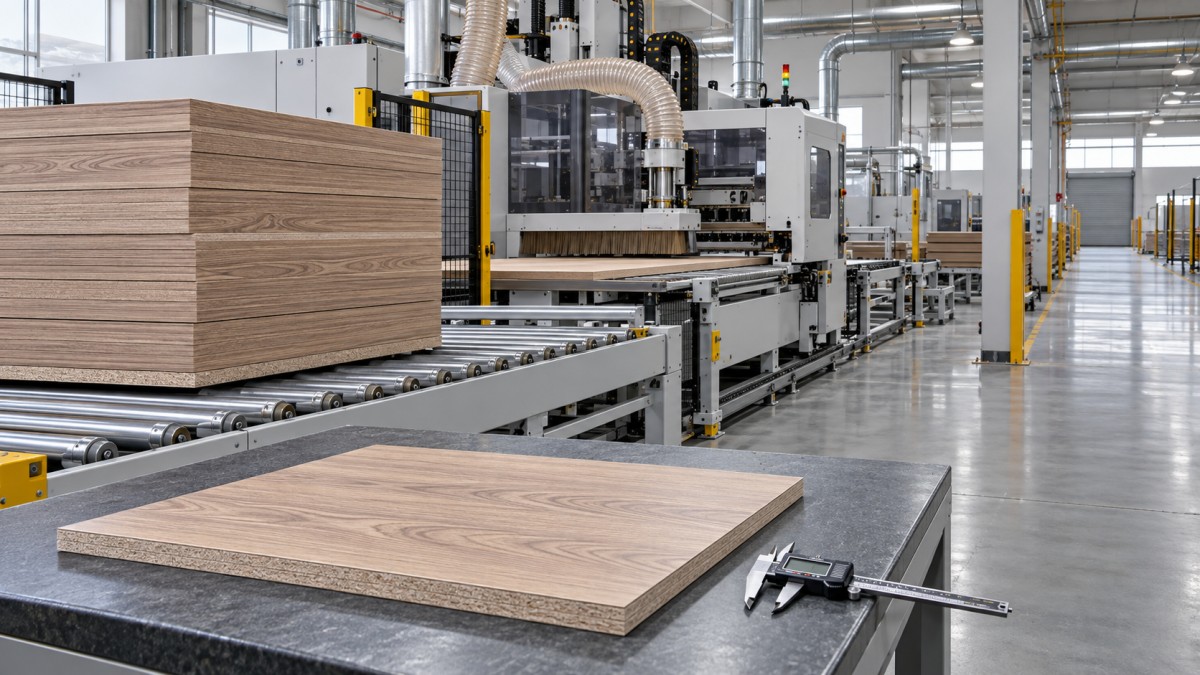
Part identification matters just as much as movement. After nesting, similar-looking components may need different edge treatments or drilling operations. Labels and scanning can help preserve that information, provided labels remain readable and associated with the correct parts. Someone still needs to resolve missing labels, damaged components, and rework.
When estimating labor, follow a complete batch through the workshop. Include sheet preparation, machine feeding, component removal, offcut storage, sorting, and transfer to the next operation. Looking only at the cutting cycle leaves much of the workload out of view.
Quality checks still require judgment
Automation improves repeatability, but repeatability also allows an incorrect setting to affect multiple parts. First-piece inspection provides an opportunity to catch that problem before releasing the rest of the batch.
After a new setup, relevant checks may include overall dimensions, hole positions, groove depth, edge finish, and assembly fit. The inspection should follow the function of the component. A concealed cabinet side and a visible furniture front do not have identical appearance requirements.
During production, operators watch for changes that indicate process deterioration. Chipping may point to tool wear, unsuitable cutting conditions, or insufficient support. Rough sanding can result from abrasive condition or contamination. Edge defects may involve panel preparation, adhesive conditions, pressure, trimming adjustments, or incompatible materials.
On an edge banding line, a neat-looking joint does not by itself establish adequate adhesion. The quality plan should include an appropriate bond assessment, particularly after relevant material or process changes. Machine settings provide control inputs; the finished component shows whether the process is working.
Inspection frequency should reflect process stability and the consequences of failure. New materials, changed tooling, and demanding visible surfaces generally justify closer attention than a stable repeat job.
Fault recovery and maintenance remain hands-on responsibilities
Connected equipment may stop automatically when it detects a feed problem, missing panel, vacuum loss, or another monitored fault. The alarm identifies a condition; a trained person must determine its cause and restore production safely.
A stopped conveyor may indicate an obstruction, a damaged part, a sensor problem, or a downstream machine that cannot accept more work. Repeatedly resetting the line without resolving the cause can create further defects or recurring stoppages.
Recovery also includes deciding what happens to parts already inside the system. Some may be complete, others partly processed, and others no longer correctly tracked. Operators need a defined method for inspection, rejection, or re-entry so that an interrupted cycle does not create missing operations or duplicate machining.
Routine care remains necessary even where lubrication or monitoring is automated. Dust extraction, vacuum components, cutters, abrasives, adhesive systems, sensors, and feed mechanisms all need attention appropriate to the equipment. Dust buildup can interfere with sensing and contributes to fire and health risks.
Clearing jams, cleaning internal areas, and servicing machinery require the applicable safe shutdown and energy-isolation procedure. An emergency stop is not a substitute for isolating hazardous energy. Operator training must cover when a task belongs to maintenance personnel and how stored pneumatic, mechanical, or other energy is controlled.
Can one operator run several machines?
Sometimes, but cycle length alone cannot answer that question. One operator may supervise several machines when loading is automated, processes are stable, parts move predictably, and intervention demands rarely coincide. The arrangement becomes harder when each machine needs frequent manual feeding, inspection, or adjustment.
Consider a workshop where a nesting machine runs while an edge bander needs continuous panel presentation and collection. The nesting cycle may offer apparent spare time, yet unloading it can conflict with keeping the edge bander supplied. Travel distance, lifting effort, sorting, and fault response further reduce the time available.
A practical staffing review should examine:
- Attention time: how long loading, unloading, checks, and adjustments actually take.
- Task overlap: whether several machines need intervention at the same moment.
- Response needs: how quickly someone must attend a stop or quality issue.
- Support work: who replenishes materials, handles waste, performs maintenance, and prepares programs.
Reducing the number of people standing beside machines can shift work to programming, material logistics, and maintenance. Those roles belong in the labor calculation. A line may need less manual handling while requiring stronger troubleshooting and process-control skills.
Evaluate operator involvement using a complete production job
When assessing automated woodworking equipment, use representative parts and the expected product mix. A long run of similar panels creates different demands from frequent changes in board thickness, edge material, tooling, and machining patterns. Automation that performs well during a stable batch may still involve substantial preparation between jobs.
Ask the supplier to demonstrate the complete sequence: preparing a job, loading material, producing an acceptable first piece, running the batch, changing to another product, and recovering from a typical interruption. Identify every manual step and who is expected to perform it. Include rejected parts and rework in that discussion.
Support also affects daily operator workload. Qingdao Zhongding Machinery Co., Ltd. supplies woodworking machinery and complete woodworking solutions, with technical support, spare parts supply, and after-sales service. In an equipment discussion, connect those services to practical needs: setup training, troubleshooting guidance, maintenance tasks, and access to replacement components.
Before agreeing on staffing, establish a clear division of responsibility for programming, setup approval, quality release, replenishment, and fault recovery. The strongest basis for an automation decision is a demonstrated workflow in which each required human task has an owner and enough time to be completed properly.
Send Your Inquiry
We welcome your cooperation and we will develop with you.