


News & Exhibitions
Latest Factory Updates, Industry Trends & Global Exhibition Information
How Can an Overseas Supplier Troubleshoot Your Metal Sander Remotely?
An overseas supplier can troubleshoot a metal sanding machine remotely by reviewing fault records, inspecting photos and video, and guiding a competent person through controlled checks. The process works best when each check answers a specific question: Is the fault coming from the abrasive belt, the feed system, the workpiece, a utility supply, or the machine controls?
If you are asking, “How do I troubleshoot a metal sanding machine remotely when the supplier is overseas?”, start by preserving the evidence before resetting alarms or changing settings. Clear information helps the supplier narrow the fault and decide whether you need an adjustment, a replacement part, or hands-on service.
Decide whether the machine can be checked safely
Stop production if there is severe vibration, a damaged abrasive belt, smoke, a burning smell, an electrical fault, or unexpected movement. Do not run the machine again simply to capture a better video. Describe the symptom and share any evidence already available.
Before opening guards, touching rollers, clearing trapped material, or inspecting the belt path, isolate and lock out the relevant energy sources according to the machine instructions and site procedures. Pneumatic pressure, stored mechanical energy, and coasting components also need attention. An emergency stop does not replace energy isolation.
Powered observations should use normal operating controls with guards closed and extraction operating as required. Electrical measurements and work inside control cabinets belong to qualified personnel. A remote technician can explain what information is needed, but a video call does not make an otherwise unsafe task acceptable.
Also establish that the machine, abrasive, and extraction system are suitable for the metal being processed. A woodworking sander should not be assumed suitable for metal because the workpiece fits through it. Metal dust and sparks can create hazards, especially where combustible dust or incompatible materials share a collection system.
Send one useful fault report before arranging a call
A message saying “the sander is not working” leaves the supplier with too many possibilities. A compact report should identify the machine, explain exactly when the fault occurs, and show what changed before it began.
- Machine identification: model, serial number, nameplate photo, and relevant control or software version if displayed.
- Fault description: the exact alarm text, affected sanding head, and whether the problem occurs at startup, during feeding, or after sustained operation.
- Process details: metal type, workpiece dimensions, abrasive specification, feed setting, and the sanding settings used when the fault appeared.
- Recent changes: belt replacement, maintenance, a new material batch, parameter changes, relocation, or changes to power, compressed air, or extraction.
- Supporting evidence: alarm screenshots, workpiece photos, available operating logs, and videos recorded safely.
Include the last known good condition. “Uneven finish began immediately after fitting a different belt” gives the supplier a more useful starting point than a general complaint about surface quality. Record changes even if they seem unrelated.
Photograph defective parts with the feed direction marked and a scale beside the affected area. State whether the defect appears on every part, across the full width, or only along one edge. These distinctions help separate a machine-wide problem from a workpiece or setup issue.
Use photos and video to show the fault clearly
Provide an overall machine photo, a readable control-screen image, and focused pictures of relevant components taken while safely isolated. For a belt problem, useful details may include the abrasive label, belt joint, belt edges, and visible wear pattern. Avoid close-ups so tight that the supplier cannot identify where the component sits.
A running video is useful only when operation is safe. Keep the camera outside guarded areas and show the operating stage when the symptom appears. Include the sound, control display, and material movement where practical. Do not reach toward a moving belt or conveyor to point out a fault.
Use consistent orientation when discussing defects. Agree on terms such as “operator side,” “drive side,” and “feed direction,” then mark photos accordingly. Otherwise, instructions to adjust the “left side” can mean different things to people facing opposite ends of the machine.
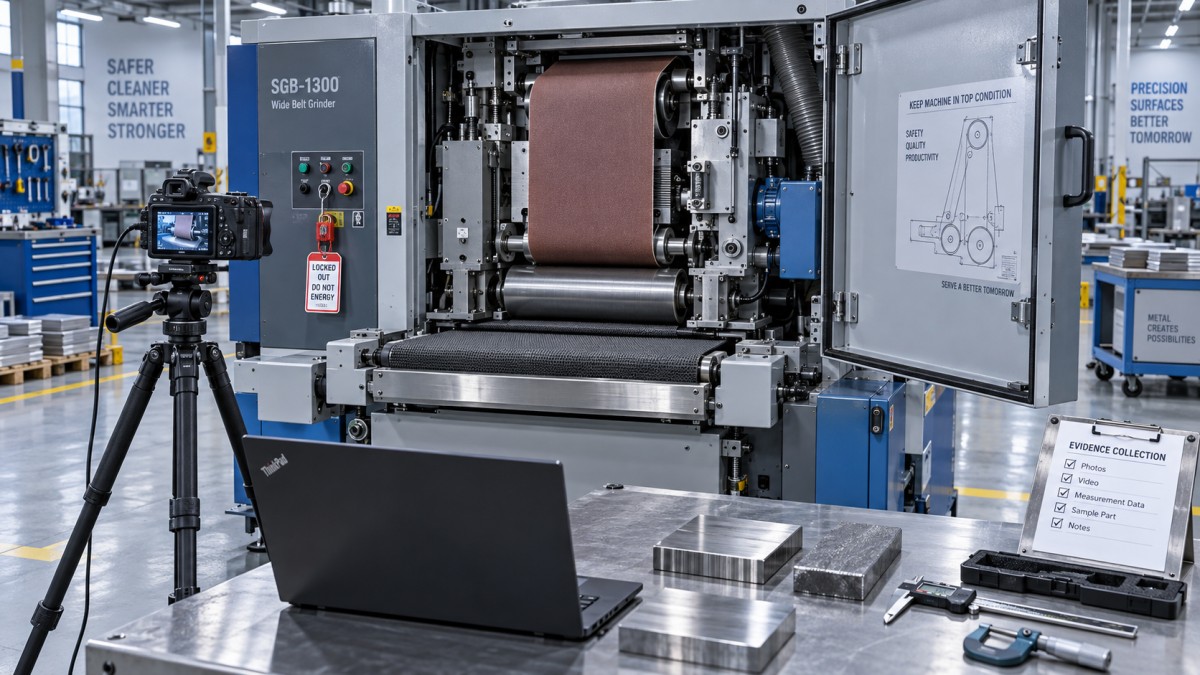
For intermittent faults, record the sequence: machine started, extraction confirmed, sanding head enabled, feed started, workpiece entered, alarm appeared. That sequence can reveal which operating condition triggers the problem without repeatedly reproducing it.
Match the symptom to a focused diagnostic path
The supplier should use your evidence to choose the next check. Similar symptoms can have different causes, so avoid treating the first plausible explanation as a confirmed diagnosis.
For example, repeated surface marks may relate to a belt joint, but that does not automatically mean the belt is defective. A worn contact component or unsuitable process setting can make a joint impression more visible. Comparing the pattern with belt changes and operating conditions helps the supplier distinguish these possibilities.
Likewise, poor dust removal can affect abrasive performance, but changing extraction settings without understanding the system may introduce other problems. Report visible accumulation and available airflow or pressure indications; let the supplier and the extraction-system provider determine the appropriate checks.
Run controlled checks and record what each one proves
Ask the supplier for a written sequence with the purpose, expected observation, and stopping condition for each check. “Inspect the tracking system” is too vague. A useful instruction identifies the component, states whether isolation is required, and explains which result would support or rule out the suspected cause.
Change one relevant variable at a time. If belt tension, feed speed, sanding depth, and pressure settings all change together, an improved finish will not reveal which change helped. It may also hide a developing mechanical fault.
Start with checks that preserve the existing setup: confirm the abrasive specification, review alarm history, inspect accessible components under isolation, and compare current settings with the documented working setup. Any return to previous settings should follow the supplier’s instructions and remain within the machine’s operating limits.
Keep a simple diagnostic record:
- The condition before the check.
- The single action or setting change made.
- The observed result, supported by a photo or reading where useful.
- Whether the original setting was restored.
- The supplier’s next instruction.
Do not bypass interlocks, defeat tracking protection, or increase overload limits to keep production moving. Repeatedly resetting a drive trip without investigating its cause can turn a recoverable fault into component damage.
If the supplier proposes replacing a part, ask what evidence points to it. A damaged belt edge may be the result of a tracking fault; fitting another belt without addressing that fault can repeat the failure.
Make the overseas support session productive
Send the evidence before the meeting so the supplier can review drawings and involve the right technician. Agree on a specific appointment with both time zones stated, and identify one person to coordinate instructions and record results.
Arrange for the necessary local skills to be available. If the planned checks involve electrical diagnosis, having a qualified electrician present can avoid another appointment. Have the machine manual, electrical drawings, maintenance history, and relevant measuring tools ready.
Written instructions are particularly useful when technical language or translation creates ambiguity. Ask the supplier to identify components by drawing reference or annotated photo. Repeat back any proposed parameter change, including its original value, before applying it.
If remote access to the control system is needed, use an approved connection with named participants and a defined scope. Keep someone responsible at the machine, record parameter changes, and end access after the session. Establish who controls startup and confirm the area is clear before any operational test.
Finish the call with a written status: suspected cause, checks completed, unresolved questions, parts required, and whether the machine must remain out of service. This prevents a tentative diagnosis from becoming an assumed repair.
Know when to request parts or local service
Remote troubleshooting is useful for identifying setup errors, interpreting alarms, checking component compatibility, and narrowing a fault to a system or assembly. It becomes less decisive when the diagnosis depends on physical measurements, internal inspection, alignment, or specialist electrical testing that nobody on site can perform.
Escalate when there is suspected bearing or shaft damage, recurring belt failure, unexplained overheating, damaged safety equipment, or a fault that returns after the instructed checks. The overseas supplier can support a local technician with drawings, inspection criteria, and part identification.
Before ordering a replacement, match it to the machine serial number and the installed component. Similar-looking sensors, drives, belts, and pneumatic parts may differ in ratings, connections, dimensions, or control logic. Request the part reference, installation requirements, and any programming or calibration needed after fitting.
For an imported component, clarify availability, shipping arrangements, and responsibility for installation. A replacement drive that arrives without the required configuration can leave the machine unavailable even though the hardware is on site.
Verify the repair under representative conditions
A cleared alarm alone does not establish that the machine is ready for production. After repairs, restore guards and protective devices, remove tools, and follow the supplier’s restart procedure. Any disturbed safety function needs appropriate verification before use.
Where safe and permitted by the instructions, progress from an unloaded check to controlled processing of representative material. Assess the original symptom directly: belt tracking, feed stability, surface consistency, abnormal noise, displayed load, or alarm recurrence. A brief successful run may not resolve a fault that previously appeared only after sustained operation.
Save the accepted settings, repair details, replacement-part references, and evidence of the result. Before closing the support case, agree on what to monitor and which symptoms require another stop. The useful outcome is a machine that performs its intended process consistently, with a documented reason for the fault and a clear basis for returning it to service.
Send Your Inquiry
We welcome your cooperation and we will develop with you.