


News & Exhibitions
Latest Factory Updates, Industry Trends & Global Exhibition Information
CNC Side Drilling Machines for Cabinets: Preventing Edge-Hole Misalignment
A cabinet panel can look correct on the face side and still fail at assembly because its edge holes are a few millimeters away from their intended position. Connectors may not pull the joint tight, shelf pins may sit at different heights, or a hinge plate may force the door out of alignment. In a batch process, the defect often becomes visible only when parts reach assembly, where correcting it is slower and more expensive than preventing it at drilling.
A cnc side drilling machine prevents most edge-hole misalignment when the panel datum, workpiece support, drilling program, tool condition, and machine reference position all agree. The machine alone cannot compensate for an incorrectly sized panel, a damaged reference edge, a loose clamping setup, or a program written from the wrong origin. The practical solution is to locate the source of the deviation before changing offsets blindly.
Start by reading the error pattern
The position of the bad hole provides useful evidence. Before adjusting a machine parameter, take several rejected panels and compare the drilled position with the drawing or a confirmed good part. Check both the distance from the panel end and the distance from the reference face. Then determine whether the error is repeated, directional, or random.
This distinction matters. A consistent 2 mm shift is usually a reference problem, while variation of 2 mm between otherwise identical parts often points to material movement or unreliable loading. Treating both problems with the same coordinate correction can make one batch appear acceptable while creating a new error in the next batch.
The reference edge must survive every process before drilling
Side drilling depends on a defined datum edge and face. In cabinet production, that reference may be the finished front edge, the rear edge, or a particular panel face designated by the production drawing. Problems begin when the operator assumes that any edge can serve as the machine reference. A panel flipped after machining, an edge-banded side used in place of the intended raw edge, or a part loaded face-down when the program expects face-up can move every hole pattern.
Confirm the following before loading a production run:
- The panel label or job information clearly identifies the reference face and reference end.
- Parts with mirrored drilling patterns are separated or unmistakably marked.
- The selected machining program matches the panel code, thickness, length, handedness, and construction method.
- The edge used against the locating stop is free of chips, loose edge banding, glue buildup, and damage.
- Any earlier cutting, boring, or edge-banding step has not changed the dimension from which the side-hole coordinates were calculated.
A useful shop-floor habit is to use a clearly defined “zero end” throughout the production route. When a panel is cut, routed, edge-banded, and drilled by different stations, the risk is not merely a wrong measurement. The risk is that each station works from a different physical edge. Once that happens, small upstream dimensional differences can become visible as connector or hinge misalignment at final assembly.
Do not assume nominal panel size is actual panel size
Programs are often created from nominal dimensions, but actual workpieces can vary because of cutting tolerance, trimming, panel swelling, laminate buildup, or edge-banding allowance. This becomes critical when a drilling pattern is positioned from the far end of a panel. For example, a hole measured from the left reference end may remain correct even if length changes slightly; a hole programmed from the right end may shift with any length variation unless the control uses the correct opposite-end logic.
When an error appears only in holes close to the second end of the panel, measure several finished blanks before drilling. Compare them to the length expected by the program rather than to the nominal cut-list size. Also inspect whether the panel reaches the machine stop consistently. A small offcut, dust buildup, or protruding edge band can prevent full contact and create a repeatable but misleading offset.
Loading errors are often mistaken for machine accuracy problems
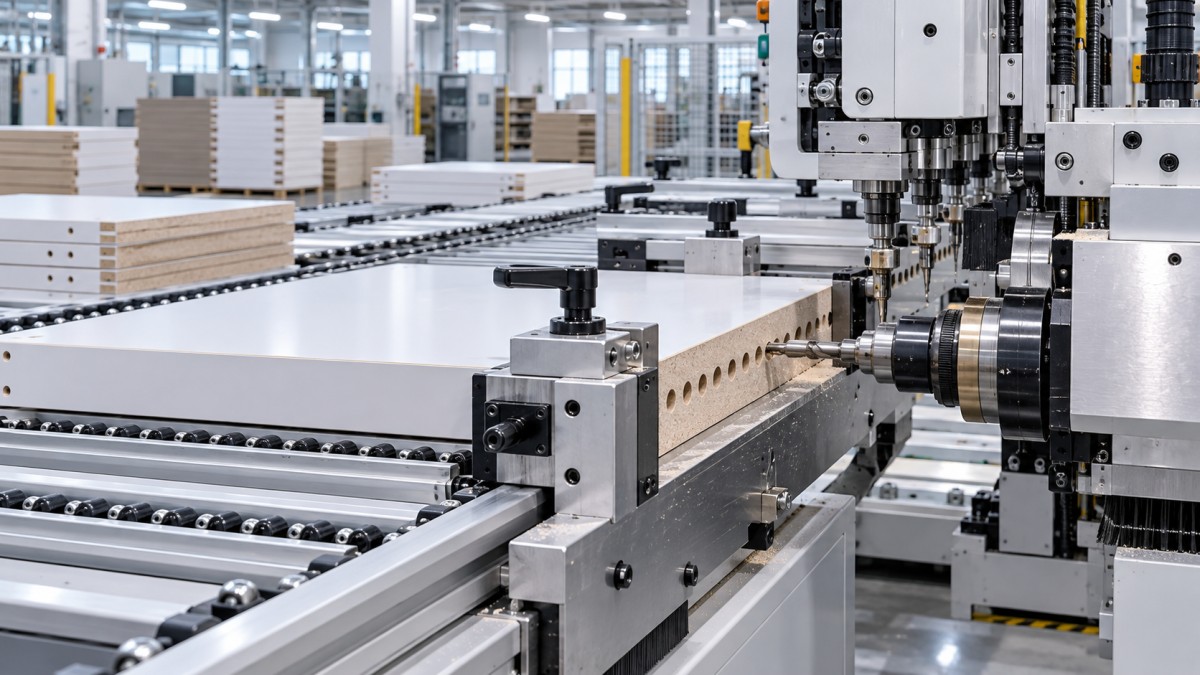
A well-calibrated machine cannot hold position if the workpiece shifts while it is being located or drilled. Thin panels, narrow rails, warped boards, and coated materials deserve extra attention because they may not sit flat against support surfaces. A bowed cabinet side can touch a reference point at one location but pull away at another. The resulting hole may be accurately drilled relative to the machine while being incorrect relative to the panel’s intended geometry.
Watch the loading sequence rather than only inspecting the completed hole. The panel should contact the locating surface before the clamps apply force. If clamps pull the workpiece sideways into position, the final location can vary with panel shape, surface friction, or clamp pressure. The same issue appears when an operator supports a long panel by hand and releases it before it is fully seated.
For long cabinet sides, confirm that infeed and outfeed supports are level with the machine table. A support set too high can lift the panel near the reference zone; one set too low can allow the panel to sag or rotate. Neither condition necessarily leaves an obvious mark, but both can affect the relationship between the edge and the drilling head. Keep rollers, tables, and contact pads clear of chips, especially around the positioning stop.
Clamp pressure should hold, not distort
Increasing pressure is not always the cure for movement. Excessive clamp force can bend thinner stock, compress soft core material, or cause a panel to creep as pressure is applied. Insufficient force, on the other hand, permits vibration and movement during drilling. Use enough pressure to secure the workpiece while observing whether the panel remains flat and square to the locating system.
A simple verification method is to stop after clamping, where the machine permits safe observation, and inspect contact at the reference points. The panel should not rock when lightly checked by hand with the cycle inactive. Never reach into a machine during automatic movement or bypass guarding to inspect clamping behavior. If loading stability cannot be confirmed safely, follow the machine’s prescribed setup and maintenance procedure.
Check the drill before rewriting coordinates
Not every apparent positional error is a coordinate error. A dull or damaged bit can enter the panel off-center, particularly on laminated board, particleboard with inconsistent density, or material with a hard surface layer. The hole may start at the intended point but wander as the drill advances. A bent bit, loose collet, contaminated tool holder, or spindle runout can produce a similar result.
Look closely at the hole quality. Tear-out, burn marks, an oval opening, excessive breakout, or a hole that is visibly angled suggests a tooling or spindle issue. Compare holes produced by the same bit in different panels. If the center position changes with drilling depth, investigate the mechanical condition of the drilling unit instead of applying a program offset.
Tool length and diameter values must also match the tool installed in the machine. Side drilling programs may rely on controlled depth to avoid breakthrough or to create an exact dowel, connector, or shelf-pin seat. A tool that is longer than its recorded value may drill too deeply; a shorter one may leave an incomplete hole. While depth does not normally change the programmed X or Y coordinate, incorrect tool data can conceal a more serious setup error and complicate diagnosis.
Replace worn drills according to the condition seen in production, not only after visible failure. When changing a tool, clean the collet and shank before installation. Fine dust trapped in the holder can prevent proper seating and create runout even with a new bit. After a tool change, run a controlled test part or test block before releasing a full batch.
Use a short verification routine after setup changes
Side-hole errors frequently appear after a program edit, tool replacement, shift change, material change, or machine maintenance. A short first-piece verification is faster than checking every part at assembly. The goal is not to measure every hole in a complex cabinet component. It is to confirm that the machine is referencing the part correctly and that the critical interfaces will assemble.
- Review the drawing or production data and identify the holes that control assembly: cam connectors, dowels, hinge locations, drawer-slide mounting holes, and shelf supports.
- Measure the blank panel’s thickness, length, and width where those values affect the program.
- Load the panel in its required orientation and verify contact with the intended stop and support surfaces.
- Run the approved program at the normal production setup, using a test part when available.
- Measure key hole centers from the specified datum edge, not from a convenient but unrelated edge.
- Test the drilled part against its mating component where practical. A connector may measure correctly yet reveal an orientation or depth issue during fit-up.
- Record the adjustment only after confirming the cause. Avoid leaving undocumented temporary offsets in the control.
Measuring from the correct datum is essential. Suppose a hole is specified 37 mm from the front edge. Measuring it from the rear edge may produce a number that looks plausible but says little about whether the part will match the mating panel. Use a reliable rule, square, caliper, or dedicated checking fixture appropriate to the tolerance required by the cabinet design. Keep measuring tools clean and inspect them for damage; a worn ruler edge or loose stop can introduce its own error.
Program logic needs the same discipline as mechanical setup
Operators sometimes compensate for a bad part by changing a coordinate without confirming which reference system the CNC program uses. This can create errors in mirrored panels, alternate lengths, or nested production jobs. Before editing, determine whether the coordinate is calculated from a fixed origin, a panel edge, a centerline, or a parameter linked to part dimensions.
Pay special attention to these situations:
- Left-hand and right-hand cabinet sides: Their hole patterns may be mirrored rather than merely shifted.
- Different panel thicknesses: A connector hole centered in one thickness may be off-center in another.
- Face-reference changes: A drilling path intended for the inner face can be wrong when the panel is inverted.
- Parameterized programs: An incorrect length or width entry can move several features at once.
- Program revisions: An older file may retain a previous hardware position or construction detail.
When the same incorrect displacement occurs across multiple drill patterns, compare the active work offset, machine homing status, and programmed panel origin. If the machine has recently lost power, been moved, serviced, or reset, verify that its reference return procedure was completed correctly according to the manufacturer’s instructions. Do not use a production part as a calibration substitute when a proper reference routine or test piece is available.
Separate material defects from drilling defects
Cabinet panels are not always perfectly flat, square, or internally uniform. Edge chipping from a previous cutting operation can make the panel register inconsistently. Swollen edges, damaged corners, or loose edge banding can prevent repeatable positioning. Particleboard and MDF can also react differently to drilling when their density varies, especially near an edge.
Inspect incoming or pre-machined panels when a problem is limited to a particular material batch or panel type. Check squareness by measuring diagonals or using a suitable square, and inspect the reference edge along its full length. If the edge itself is not straight, a CNC side drilling machine may place holes consistently relative to its locating system while the finished panel still appears inconsistent relative to another component.
For visibly warped stock, do not rely on clamp pressure to force every piece into shape. Determine whether the cabinet construction can tolerate the variation or whether the panel should be corrected, re-cut, or removed from the run. Drilling a distorted part may produce holes that seem acceptable while clamped but misalign once the panel is released.
Maintenance points that protect repeatability
Repeatable drilling is built on small mechanical details. Chips accumulating behind a stop, worn clamp pads, loose fasteners, contaminated sensors, or play in a moving axis can gradually affect results. These issues are easy to overlook because they may not cause an immediate fault message.
Keep daily attention focused on the surfaces that establish part position: stops, fences, support pads, clamps, and sensors. Remove dust and adhesive residue using methods compatible with the machine and panel finish. Inspect drill holders for secure seating, and listen for unusual spindle noise or vibration. At scheduled intervals, check axis movement, fastening points, lubrication requirements, and the condition of pneumatic or vacuum components according to the machine documentation.
When a positional problem persists after checking the program, panel, loading method, and drill, stop making repeated offset changes. A machine reference, axis, spindle, or clamping component may require formal inspection. Continuing production with uncertain compensation can spread the defect across different cabinet parts and make later traceability difficult. A controlled diagnostic approach protects both panel quality and the reliability of future setups.
Send Your Inquiry
We welcome your cooperation and we will develop with you.